


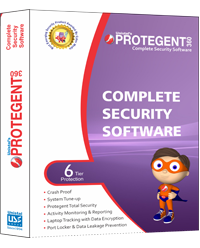


Protegent Enterprise Security
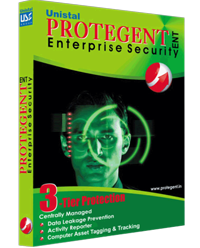
Protegent Enterprise Security features three efficient components to keep you safe from Information Security Breach. It includes Activity Reporter for comprehensive reporting with alerts regarding activities of employees in enterprise through a single management console, Data Leakage Prevention to avoid data leakgae possibilities and Asset Tracking to tag and track all the software and hardware assets.
Benefits
SECURITY
- Ensure resource usage for higher productivity
- Enhancesecurity of your network
CONTROL
- Alert on use of restricted resources
- Allow / disallow use of specific storage devices
MANAGEBILITY
- Know correct usage statistics of resources
- Centrally managed policy based settings
SCALABILITY
- Centralized update of all clients
- Flexible module based licensing
BUSINESS CONTINUITY
- Monitor performance of installed hardware
- Clone client hard drive before it fails
SAVINGS
- Enhance employee productivity
- Safeguard critical data from theft
- Save on IT resource
Components
Protegent Enterprise security has been designed to provide security solution to Enterprise Networks. It is a Multi Tier Security suite that includes Data Lakage Prevention, Activity Reporter ans Asset Tracking
Features of Enterprise Laptop Security
- Automatic installation of required Software’s i.e.Window Installer, SQL 2005, .Net Framework etc.
- Centrally managed port access control and user control for workstations and servers.
- Generates a database at first start up for storing the activity reports of the server and client machines under protection.
- Auto enumeration of the entire network, showing the systems available.
- Auto generation ofport numbers for sending and receiving data between the server and client machines.
- Maintain remote client’s user name, password and other details in credential manager.
- Systems with Common Administrative user name and password can be saved as“everyone”.
- Using export option administrator can save the credential list.
- Import option to restore previously saved credential list.
- Deployment on multiple clients can be done simultaneously.
- Administrator can give Full privilegesto power user.
- Exclusive feature of giving warning to the administrator about the status of client machine in following ways:
- If communication is broken between the client and server.
- Ifdeployed product is not workingatclient.
- Settings-based centralized management.
- If client isinactive with server for a configured days.
- Customization of reports according to administrator requirement.
- Defining different policies for different users.
- Backup and Restore option for policies (settings).
- After installation, auto-start-up of themodules makes the software user friendly.
- Easy installation with option of customizes installation.
- Option for the Backup of settings, reporting, network structure and license for later use.
- Restore option for the restoration of the earlier saved or backed-up data.
- Backup option at the Console and at the time of un-installation .
- Protection from unauthorized un-installation by asking for authorized password at time of un-installation.
- Detailed reports of each client.
- Option of IP range Deployment in the network.
- Sets restrictions against all communication ports by blocking and unblocking them.
- Prevent data theft as well as unauthorized access of critical data.
The modules included in Protegent Enterprise Security are:
System Requirements
- Hardware & Software Required at Server
- For Windows 2000
- 1.66 MHz or higher processor
- 512 MB of RAM Memory(1 GB recommended)
- 900 MB available hard disk space (1 GB recommended)
- Win 2000 (SP 4)
- Internet Explorer 6.0 (or higher)
- Microsoft Data Access Components 2.8 (MDAC)
- For Windows XP/Vista/Windows 7/ Win Server 2008/2003
- 1.66 MHz or higher processor
- 512 MB of RAM Memory(1 GB recommended)
- 900 MB available harddisk space (1 GB recommended)
- Hardware & Software Required at Client
- For Windows 2000
- 1.66 MHz or higher processor
- 512 MB of RAM Memory (1 GB recommended)
- 30 MB available hard disk space (64 MB recommended)
- Win 2000 (SP 4)
- For Windows XP/Vista/Windows7/ Win Server 2008/2003
- 1.66 MHz or higher processor
- 512 MB of RAM Memory (1 GB recommended)
- 30 MB available hard disk space (64 MB recommended)
Press Releases
Our Clients


About Us
Unistal Systems Pvt Ltd is one of the most reliable data recovery service providers in the global industry. Unistal is known for its superior quality products and services, which are contemporary and cover multifarious users' needs and aspirations. Over the years, we have set new landmarks in the data recovery streams by constantly producing excellent products and services. We work with a global clientele, which includes secret services, government agencies,


Data Leakage Prevention