


 Data Leakage Prevention


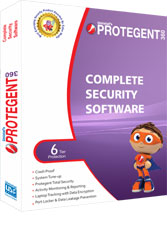
Protegent 360
Complete Security Software


Protegent
Total
Security
Software
FAQ
When we say Complete, we literally mean it! Laptops are mobile devices and very much vulnerable to theft or missing, isn't it? And missing of critical data stored in the laptop is what hurts the most. Protegent360 is an innovative security solution that provides laptop users five-tier protection: Laptop tracking with data encryption, antivirus solution with firewall, activity monitoring and reporting, port locker and data leakage prevention and data backup solution. All the modules Protegent360 are very important and have been incorporated in a single product in view of contemporary e-challenges. Protegent360 is must for each and every laptop user!
Whether you own a small, medium or a large enterprise, you simply cannot rule out the need for a comprehensive and effective data security solution. Protegent Enterprise Security serves end-to-end data security requirement for any enterprise. With Protegent Enterprise Security, employers can have greater control on literally all the activities on the systems placed in the network. Moreover, you will be able to keep an effective tab on employees' flow of information and ward off the slightest possibility of data leakage. And to execute this monitoring process with perfection, you will be equipped with a complete, comprehensive centralized management console coupled with instant alerts.
The features helps you:
- Track Laptop Location:
- IP Address, City, State, ISP
- Trace you employee’s location
- Secure webpage for location tracking
- Unique Websniff Technology
- Automatic data encryption in case of theft
- Install LocateLaptop Software.
- Don’t be over-confident about your belongings. Remember Murphy’s Law: things will go wrong in any given situation, if you give them a chance. And “at the worst possible time, in the worst possible way".
- Carrying laptops in expensive, fashionable cases? They're asking for trouble. Those cases say, "Hey I am Laptop! Come, Steal me!"
- According to a survey 90% laptops are stolen during tours and from public places. Out of this, maximum number of cases occurs at airports.
- Always try to keep the laptop with you.
- Security officials will seek your laptop for checking. Or you might have to part with laptop for x-ray screening. Stay alert and keep a close eye on your laptop.
- Going to restroom? Instead of leaving your Laptop on some rack, hang it on your shoulder.
- Do keep regular backup. You may even use your portable digital music player to keep important data backup. Some of these music players provide 20GB or more space. Use them to backup your data. Protegent360 also includes data back up solution.
- Laptop users must protect their laptop with a startup password.
Yes! Locate Laptop can trace the location of the laptop with any type of internet including dial-up, cable modem, DSL, T1, Data card and wireless.
To update us, go to www.locatelaptop.com. Login with your correct user name & password. Click on "Report Theft" option. Provide relevant information and attach the scanned copy of police report. Soon after the submission of report, the module will immediately start locating your laptop, and you will get the information related to IP, ISP, City etc on your mail id every half-n-hour.
If your lost or stolen laptop is not connected to internet at all, LocateLaptop software cannot track it. Moreover, if Laptop is formatted, or by some mean LocateLaptop software is uninstalled, we cannot track the laptop. However, the software works in stealth mode and chances that unauthorized user deliberately formats the laptop are very rare!
Of course you can, thanks to data encryption feature that has been coupled with Locate Laptop component. After installation of LocateLaptop, you may define some important folders e.g. mails, My Documents, etc. as soon as theft report is submitted on www.locatelaptop.com, data encryption module will be activated. On first communication of Laptop and LocateLaptop server, all predefined folders will be encrypted without the unauthorized user's knowledge.
LocateLaptop's data encryption feature is a highly competent feature, which makes sure that unauthorized user has no access to your data.
Good News! Yes, It's possible. LocateLaptop's data encryption module can encrypt data even if laptop is not connected to Internet for selected days. Say, during configuration of LocateLaptop, you selected "Encrypt my data if laptop is not connected to internet for 2 days". Now, if your laptop is lost, and unauthorized person keeps it with him, but doesn't switch on the PC or connect to Internet for couple of days. Soon after the person boots the system, predefined folders will be encrypted in background. In the meantime, if he connects to Internet then our WebSniff technology will trace the location of laptop and online encryption module will be triggered.
No, if Laptop is formatted, LocateLaptop Software will also be removed. So, the records related to IP address will not be updated in our database. Thus, software will not be able to track your laptop after formatting of the laptop.
LocateLaptop software installed in your Laptop works as agent and keeps our database updated, which is later required to track the location of laptop. If it is uninstalled, the records related to IP address will not be updated in our database. Thus, software will not be able to track your laptop if the software has been uninstalled. However, the module works in stealth mode and unauthorized user may not have any clue about such tracker.
Though it takes place very rare but in some cases it may happen, that report does not show the city and region information. However, the IP address mentioned in the record is unique across the World. And once that is identified, it would be really easy to trace the city and location. Moreover, we keep on updating our IP database on regular basis to achieve maximum accuracy.
You may install the software using same key number on same Laptop unlimited time. If you change the Laptop, you will have to purchase a new license.
Firstly Unblock the CD-ROM Port to install the data card driver and to connect with the internet Unblock the IEEE Port.
